
Smarter Spreadsheet Automation
Overview
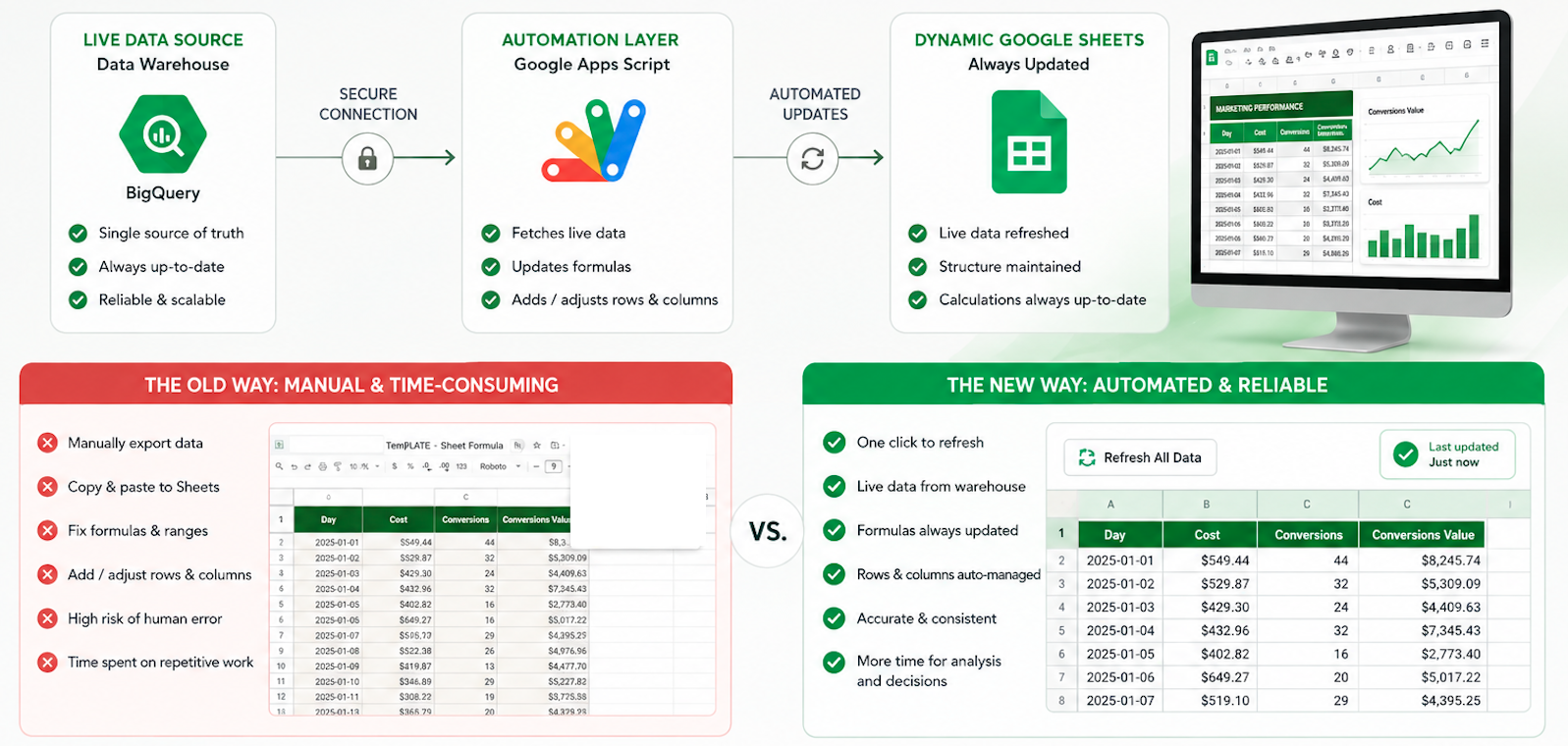
For businesses that rely on Sheets for day-to-day operations, moving away from spreadsheets isn’t always the answer. This project shows how we can turn Sheets into a powerful, automated workspace by connecting it to live warehouse data and automating the processes that would otherwise require constant manual updates.
Data2Stats helps businesses replace repetitive work with reliable, scalable systems using automations.
The challenge
Relying on spreadsheets for recurring reporting and operational tasks can become increasingly time-consuming as data and processes grow. Teams often spend hours importing data, updating formulas, formatting sheets, and maintaining reports that could otherwise be automated.
Results & Performance
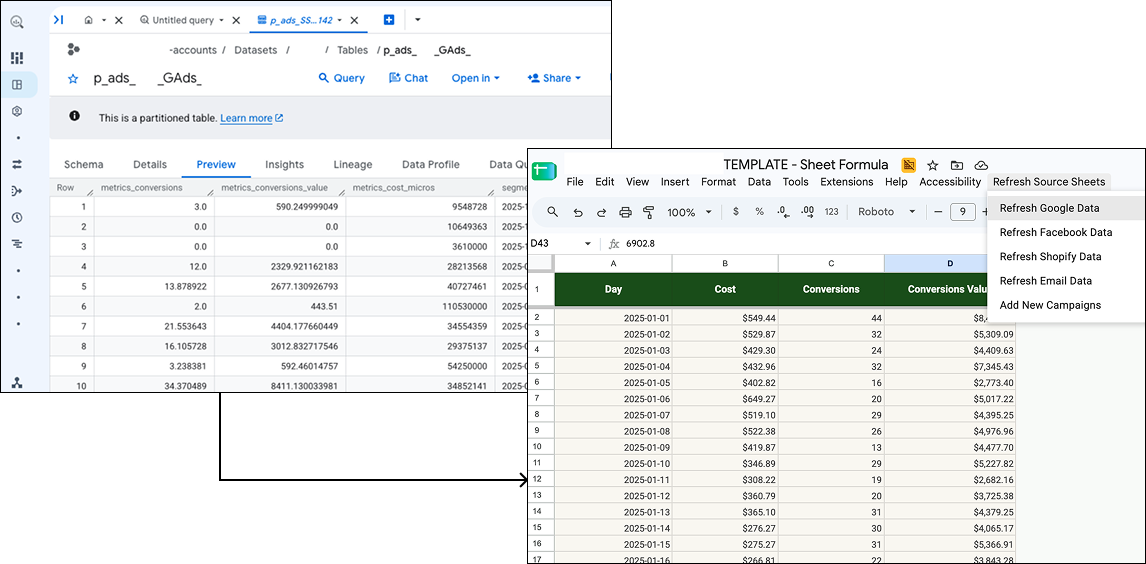
To eliminate repetitive spreadsheet maintenance, we developed an automated workflow that connects Google Sheets directly to the data warehouse. Using Apps Script, the system automatically imports data, updates formulas, and adds or adjusts rows and columns as needed, which reduces the need for manual spreadsheet maintenance.
The completed solution turns Google Sheets into a more dynamic and automated reporting workspace. Data can be refreshed from the warehouse while the spreadsheet structure and calculations are automatically maintained in the background.
Frequently Asked Questions
No! The automation can be built around an existing spreadsheet structure and improved to make it more dynamic and scalable.
Updates can be scheduled to run automatically at predefined intervals, such as hourly, daily, or weekly.
Yes. The same approach can automate repetitive tasks such as data imports, formatting, calculations, validation, cleanup, and report preparation.
Yes. Scheduled triggers allow Apps Script to run automatically at predefined times. Data can be refreshed and spreadsheet processes can be completed in the background without manual intervention.
Yes. Multiple Google Sheets files can be connected so data and processes can flow between them automatically. This allows teams to maintain separate spreadsheets for different purposes while keeping information synchronized without manual copying and pasting.
Need a Workflow Automation Expert?
Turn repetitive processes into efficient, automated workflows.
Whether it’s simplifying approvals, connecting systems, or eliminating repetitive tasks, we build workflow automations that make everyday operations faster and more efficient.
Send us a message